
Controls
Azure Latch controls and tech: M1 shots, the 1-5 move keys, Q tackles and side dashes, E dribble, G Flow spend, plus curve shots, volleys and the Skill Builder.
Introduction
The control scheme is the first thing that separates Azure Latch from a conventional football game. There is no pass button in the sense a football player expects, because your Style's five numbered moves are doing that work: some Styles pass through a move, some carry the ball themselves, and the special on its own key is where the flashiest options live. What you get instead is a fighting-game layout. M1 shoots, and the same button becomes a volley when the ball is in the air and a curve shot when you are looking up during a run. Keys one through five fire your Style's moves, each on its own cooldown. Q tackles, gains a side dash when you hold a direction key, and becomes a dive while you are in goal. E dribbles when you have the ball and toggles techniques mode when you do not. R whistles, which matters more than newcomers expect. And G spends Flow to trigger your awakening. On top of that sits a tech layer that the game does not tutorialise well, and a Skill Builder for players who want to design their own moveset.
Control and Tech Reference
| Input | Action | Variant | When It Wins |
|---|---|---|---|
| M1 | Shoot | Volley in the air, curve shot while looking up mid-run | Beating a committed defender or a keeper who stepped early. |
| 1-5 | Style moves | Several have off-ball variants and parry windows | Winning duels; each move runs on its own separate cooldown. |
| Q | Tackle | Side dash with A or D held, keeper dive in goal | Winning the ball and building Flow, which pays roughly twelve percent per tackle. |
| E / G | Dribble and Flow spend | E toggles techniques mode without the ball; G triggers the awakening | Carrying possession and then converting the metre into a stronger version of your kit. |
Tech Breakdown
Shooting and Volleys
One button, three different shots.
Tackling and Dashes
The defensive key that does three jobs.
Dribbling and Techniques
Carrying the ball versus moving without it.
Skill Builder and Flow
The customisation layer and the awakening key.
Core Mechanics
Almost every control in Azure Latch is context dependent, which is why the same button appears twice in this table. Q is the clearest example: with no direction held it is a straightforward tackle, with A or D held it becomes a side dash that covers ground laterally rather than forward, and while you are standing in goal it becomes the dive that keeps you in the match. M1 behaves the same way, shooting along the ground from a standing start, converting to a volley when the ball is airborne, and bending into a curve shot when you hold the look-up input during the run. E splits too: with the ball it is the dribble, without it, it toggles techniques mode. Layered on top of the buttons is the cooldown economy. Your five moves do not share a cooldown, so the skill is sequencing them rather than saving them, and several moves carry parry or invulnerability windows that make the timing of a press worth more than the press itself.
Advantages
The advantage of a fighting-game control scheme is skill expression. Because your numbered moves are individually cooldowned and several have parry windows, a player who knows the ordering can beat a Style with a higher rarity band without ever winning a rarity contest. The side dash is a good example of a button whose value is entirely in the player: used as an escape it saves a goal, and used aggressively it turns a tackle into a gap-closing tool that a defender cannot read from a standing start. The context switching also means there is no dead key on the keyboard. M1, Q, E and G all change function depending on where you are and what you are holding, so a player with a full understanding of the scheme has more options available at any given moment than someone using the same keyboard purely by memorised muscle memory.
Challenges
The scheme is genuinely hard to learn without guidance, and the game does not make it easy. Context-dependent buttons are efficient once understood and confusing before that, because pressing Q expecting a tackle and getting a dive is only self-explanatory if you already know you are in goal. The tutorial covers the basics but does not explain that a curve shot requires holding the look-up input mid-run, that techniques mode changes what the five move keys do without the ball, or that several moves carry parry windows at all. Add platform differences and the problem compounds: keyboard, gamepad and touch layouts each place the same actions differently, and console players often cannot use the emote wheel the way keyboard players do. Finally, the Skill Builder, which is the most powerful customisation tool in the game, is barely explained in-game at all.
Frequently Asked Questions
How do I curve a shot in Azure Latch?+
What does Q actually do in Azure Latch?+
What is the Skill Builder and how do I use it?+
Quick Tips
Learn the cooldowns of your own five moves before you learn anyone else's. Each numbered move runs on its own separate timer, so the practical limit on what you can do in a duel is not how many moves you have but how many are available at that moment. Players who press the flashiest move whenever it is up lose to players who save one specific move for the moment an opponent commits. Spend a match deliberately watching your own cooldown habit rather than the ball, and you will find that a surprising fraction of your missed chances were self-inflicted timing errors.
Practise the side dash deliberately, because it is the least intuitive button in the game. Holding A or D while pressing Q converts a tackle into a lateral dash, which changes the button from a close-range commitment into a movement tool. The reason it matters is that it lets you cover ground without turning your back on the play, which is exactly what a winger cutting inside is trying to force you to do. Set aside a few matches in a low-stakes public lobby purely to dash, and treat the resulting lost challenges as the cost of learning the timing.
Set your sensitivity and keybinds before you chase cosmetics. A large share of missed curve shots and late tackles are input problems rather than skill problems, and the control scheme is context dependent enough that a badly bound key costs you the moment it matters. If you play on a gamepad, check that your dash and dribble inputs are reachable without moving a thumb off the stick. If you play on keyboard, ensure the five move keys sit under fingers that do not also need to hold a direction. It is the cheapest improvement available to you.
Featured
Azure Latch Goalkeeper Controls: Dive, Throw, and Charge
Master every Azure Latch goalkeeper control from Q dives to super throws, Doberman charges, and speed burst cancels so you own the box on every save attempt.
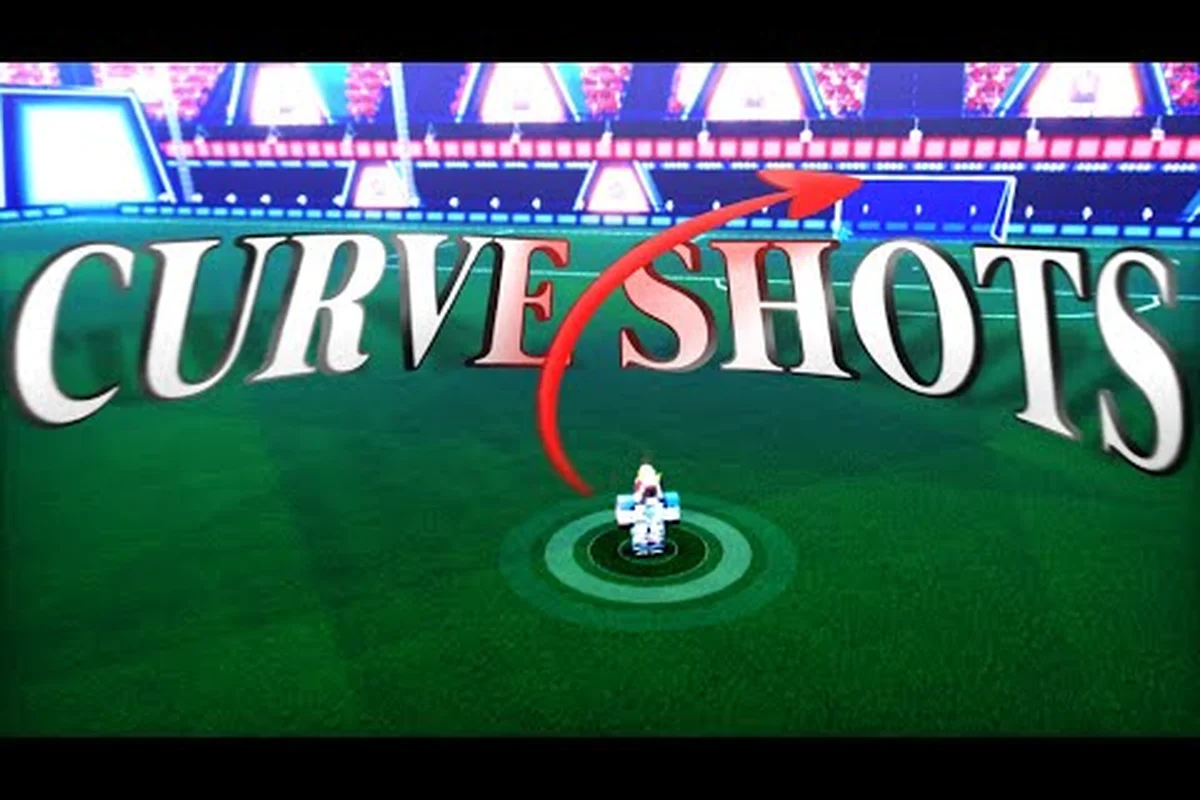
Azure Latch Curve Shot: Bindings, Timing, and Every Lineup
Learn the Azure Latch curve shot from input to finish, including which button activates spin, how to time Rin's Trivela, and every angle worth practicing.
Azure Latch How to Shoot: Tackle, Dribble & Combo Guide
Learn Azure Latch how to shoot with clean M1 timing, tackle with Q, and chain dribble combos into goals using the default control bindings.
All Articles

Azure Latch Best Tech: Dash, Rainbow Flick & Header Moves
Master Azure Latch best tech moves from side dash cancels to rainbow flicks and headers, turning basic movement into unstoppable scoring runs.
Azure Latch Custom Movesets: Build, Swap, and Dominate
Explore the Azure Latch custom movesets system, from on-ball and off-ball move variants to T special swaps, so your style always fits the matchup in front of you.
Azure Latch Emote Button: PC, Console, and Mid-Match Use
Find the Azure Latch emote button on keyboard and controller, trigger emotes mid-match without losing inputs, and expand your wheel through the skill builder.
Azure Latch Combo Guide: Chaining Tech Into Goals
Break down every Azure Latch combo from basic M1 chains to advanced tech strings, with keybind reminders and timing tips that turn clean touches into scores.